Cold Email Lead Scoring: The Complete Guide to Prioritizing Outbound Prospects
Master cold email lead scoring with this comprehensive guide. Learn how to use Apollo, Clay, and automation tools to prioritize prospects based on engagement signals and fit data.
What is Cold Email Lead Scoring?
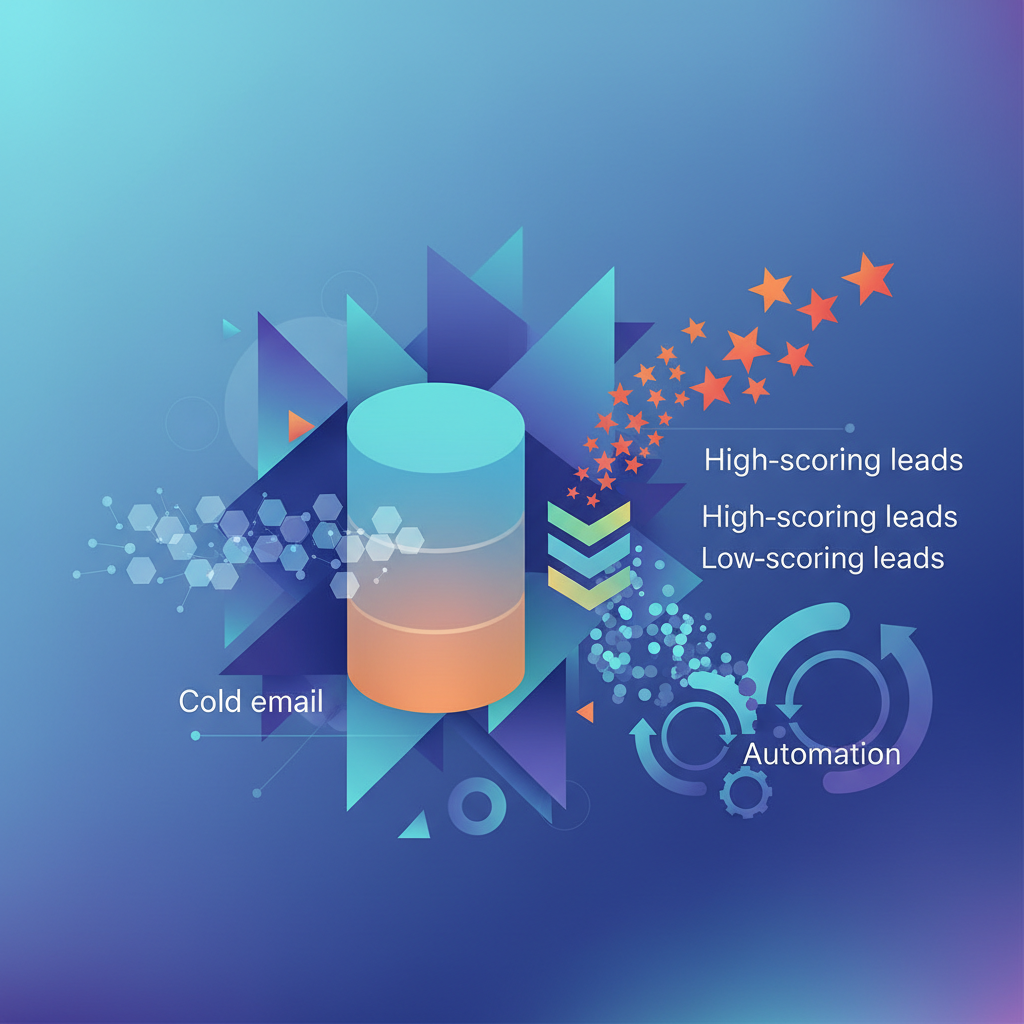
Cold email lead scoring is the systematic process of assigning numerical values to outbound prospects based on their likelihood to convert into customers. Unlike inbound lead scoring—which relies heavily on website behavior and content engagement—cold email lead scoring combines firmographic fit data with real-time email engagement signals to prioritize your outreach efforts.
The fundamental challenge in cold outreach is volume versus quality. Sales teams often blast thousands of emails hoping for a handful of responses. Lead scoring flips this approach by helping you identify which prospects deserve immediate follow-up, which need nurturing, and which should be deprioritized entirely.
A robust cold email lead scoring system evaluates two primary dimensions:
Fit Score: How well does this prospect match your ideal customer profile (ICP)? This includes company size, industry, technology stack, funding stage, and job title alignment.
Engagement Score: How is this prospect interacting with your outreach? Opens, clicks, replies, website visits, and LinkedIn activity all contribute to understanding intent.
When you combine these dimensions, you create a composite score that tells your sales team exactly where to focus their energy. The result? Higher response rates, shorter sales cycles, and significantly better conversion metrics.
For teams already running automated cold email sequences, adding a scoring layer transforms raw activity data into actionable intelligence.
How Cold Email Lead Scoring Works
The mechanics of cold email lead scoring involve three interconnected systems: data collection, score calculation, and action triggering.
Data Collection Layer
Every touchpoint generates data. When you send a cold email through Apollo.io, Instantly, or Smartlead, these platforms track opens, clicks, and replies. But email engagement is just one data stream.
Modern scoring systems pull from multiple sources:
- Email platforms: Open rates, click-through rates, reply sentiment
- Enrichment tools: Company data, technographics, funding information
- Intent providers: Buying signals, content consumption patterns
- CRM systems: Historical interaction data, deal outcomes
- Website analytics: Page visits, time on site, resource downloads
Clay excels at aggregating these disparate data sources into unified prospect profiles. By connecting to over 75 data providers, Clay workflows can enrich leads with everything from LinkedIn activity to technology stack information—all feeding into your scoring model.
Score Calculation Engine
Once data flows in, you need logic to transform it into scores. Most teams use a points-based system:
Positive Signals (Add Points):
- Email opened: +5 points
- Link clicked: +15 points
- Replied (positive): +50 points
- Visited pricing page: +25 points
- Matches ICP criteria: +10-30 points per attribute
Negative Signals (Subtract Points):
- Email bounced: -20 points
- Unsubscribed: -100 points
- Replied (negative): -30 points
- No engagement after 3 sequences: -15 points
Tools like HubSpot and Salesforce have native lead scoring capabilities, while n8n and Make allow you to build custom scoring logic that connects any data source to any action.
Action Triggering
Scores are meaningless without corresponding actions. Your system should automatically:
- Route high-score leads to senior reps
- Trigger immediate follow-up sequences for engaged prospects
- Move cold leads to long-term nurture tracks
- Alert sales when a prospect crosses a threshold
This is where cold outreach automation truly shines—removing manual review from the equation and ensuring no hot lead slips through the cracks.
Step-by-Step Implementation Guide
Step 1: Define Your Ideal Customer Profile Criteria
Before building any automation, crystallize what makes a prospect valuable. Document specific, measurable criteria:
Company Attributes:
- Revenue range: $5M-$50M annually
- Employee count: 50-500
- Industries: SaaS, FinTech, MarTech
- Geography: North America, Western Europe
- Funding: Series A or later
Contact Attributes:
- Titles: VP Sales, Director of Revenue Operations, Head of Growth
- Department: Sales, Marketing, Operations
- Seniority: Director level and above
Technographic Signals:
- Uses Salesforce or HubSpot CRM
- Has marketing automation in place
- Active job postings for sales roles
Assign point values to each criterion based on historical conversion data. If VP-level contacts convert at 3x the rate of managers, weight accordingly.
Step 2: Configure Email Engagement Tracking
Set up comprehensive tracking across your outreach stack. In Apollo.io, enable:
- Open tracking (with pixel)
- Click tracking for all links
- Reply detection and sentiment analysis
- Meeting booked attribution
For teams using Instantly or Lemlist, similar tracking options exist. The key is ensuring every engagement event gets captured and timestamped.
Create a tracking taxonomy:
email_opened: Basic interest signallink_clicked_case_study: High intent signallink_clicked_pricing: Very high intent signalreply_positive: Immediate action requiredreply_objection: Requires rep interventionreply_not_interested: Deprioritize
Step 3: Build Your Scoring Model in Clay or n8n
Using Clay, create a workflow that:
- Ingests prospect data from your email platform via webhook
- Enriches with firmographic data using Clearbit, ZoomInfo, or Clay's native enrichment
- Calculates fit score based on ICP criteria matching
- Calculates engagement score based on email activity
- Combines into composite score with appropriate weighting
- Pushes scored leads to your CRM or routing system
For teams wanting more control, n8n offers self-hosted workflow automation. You can build custom scoring logic using JavaScript nodes, connect to any API, and maintain complete data sovereignty.
Sample scoring formula:
Composite Score = (Fit Score × 0.4) + (Engagement Score × 0.6)
Weight engagement higher for cold outreach since demonstrated interest trumps theoretical fit.
Step 4: Establish Score Thresholds and Routing Rules
Define what scores mean and what happens at each level:
Hot Leads (Score 80+):
- Immediate Slack notification to assigned rep
- Auto-create task in CRM with 1-hour SLA
- Trigger personalized follow-up sequence
- Add to priority calling list
Warm Leads (Score 50-79):
- Add to accelerated nurture sequence
- Schedule for next-day follow-up
- Enrich with additional data points
Cool Leads (Score 25-49):
- Continue standard sequence cadence
- Monitor for engagement changes
- Consider for personalized LinkedIn connection requests as alternative channel
Cold Leads (Score Below 25):
- Pause email sequences
- Move to long-term newsletter nurture
- Re-evaluate ICP fit quarterly
Step 5: Connect Scoring to Your CRM
Your CRM must reflect lead scores in real-time. Using Zapier or Make, create automations that:
- Update custom score fields when calculations complete
- Log score change history for trend analysis
- Trigger workflow rules based on threshold crossings
- Sync bi-directionally so CRM data feeds back into scoring
In HubSpot, you can use calculated properties to display scores directly on contact records. Salesforce users can leverage Process Builder or Flow to automate score-based actions.
Step 6: Implement Feedback Loops
Scoring models degrade without calibration. Build feedback mechanisms:
- Track conversion rates by score bracket
- Compare predicted scores against actual outcomes
- Adjust weights quarterly based on performance data
- A/B test scoring variations on prospect subsets
For comprehensive automated prospect research, ensure your enrichment data stays fresh—stale firmographic data corrupts fit scores quickly.
Tools Comparison for Cold Email Lead Scoring
| Tool | Best For | Scoring Capability | Email Tracking | Enrichment | Pricing | |------|----------|-------------------|----------------|------------|----------| | Apollo.io | All-in-one outreach | Native scoring | Excellent | Built-in | $49-119/user/mo | | Clay | Custom workflows | Highly flexible | Via integration | 75+ providers | $149-800/mo | | HubSpot | CRM-centric teams | Advanced native | Good | Via integrations | $45-1200/mo | | Instantly | High-volume senders | Basic | Excellent | Limited | $37-97/mo | | Smartlead | Multi-inbox management | Basic | Excellent | Limited | $39-94/mo | | n8n | Technical teams | Unlimited custom | Via integration | Any API | Free-$50/mo | | Make | Visual workflow builders | Custom logic | Via integration | Any API | $9-29/mo | | Lemlist | Personalization focus | Moderate | Excellent | Moderate | $59-99/mo | | Salesforce | Enterprise teams | Einstein AI scoring | Via integration | Via AppExchange | $25-300/user/mo | | Outreach | Sales engagement | Advanced | Excellent | Via integration | Custom pricing |
Recommendation by Team Size:
- Solo/Small Teams: Apollo.io provides the best all-in-one value with native scoring
- Mid-Market: Clay + Instantly combination offers flexibility and deliverability
- Enterprise: Salesforce + Outreach for compliance and scalability
- Technical Teams: n8n + any email platform for complete customization
Advanced Tips and Best Practices
Implement Decay Functions
Engagement signals lose relevance over time. A click from yesterday matters more than one from three weeks ago. Implement score decay:
- Reduce engagement points by 10% weekly
- Reset engagement score after 60 days of inactivity
- Maintain fit score indefinitely (company attributes rarely change)
Use Negative Scoring Aggressively
Most teams over-index on positive signals. Be equally rigorous about disqualification:
- Competitor domains: -100 points (auto-exclude)
- Personal email addresses: -50 points
- Company size outside ICP: -30 points
- Three sequences with zero engagement: -40 points
Layer Intent Data
Email engagement only tells part of the story. Integrate third-party intent signals from providers like Bombora, 6sense, or ZoomInfo Intent:
- Prospect's company researching relevant topics: +25 points
- Job postings for roles you enable: +20 points
- Recent funding announcement: +15 points
- Leadership changes in target department: +10 points
Score at Account and Contact Levels
Don't just score individuals—aggregate to account level. If three contacts at the same company show engagement, the account score should spike even if individual scores remain moderate.
This account-based approach aligns perfectly with automated outbound prospecting strategies targeting buying committees.
Build Scoring Segments for Sequence Selection
Use scores to dynamically select outreach strategies:
- High fit + low engagement: Try more personalized, research-heavy sequences
- Low fit + high engagement: Investigate—might indicate ICP expansion opportunity
- High fit + high engagement: Fast-track to demo request sequence
- Low fit + low engagement: Remove from active outreach
Common Mistakes to Avoid
Mistake 1: Over-Complicating Initial Models
Teams often try to score 50+ attributes from day one. Start with 5-7 high-impact criteria, prove the model works, then expand. Complexity without validation creates false confidence.
Mistake 2: Ignoring Data Quality
Garbage in, garbage out. If your enrichment data shows a 200-person company as having 20 employees, your fit score becomes meaningless. Regularly audit data accuracy and diversify enrichment sources.
Mistake 3: Static Thresholds
Setting "80+ = hot lead" and never revisiting guarantees model drift. As your ICP evolves and email deliverability changes, thresholds need recalibration. Review monthly for the first quarter, then quarterly thereafter.
Mistake 4: Scoring Without Action
The most sophisticated scoring model delivers zero value if reps ignore it. Ensure scores drive visible workflow changes—task creation, sequence enrollment, rep notifications. Make ignoring scores harder than acting on them.
Mistake 5: Treating All Opens Equally
Not all opens indicate genuine interest. Implement minimum engagement thresholds (e.g., opened email AND clicked link) before awarding significant points. Single opens often reflect email client previews, not human attention.
Mistake 6: Forgetting Negative Outcomes
When a scored lead converts—or explicitly rejects you—feed that outcome back into the model. Closed-won customers should inform positive scoring weights; closed-lost should trigger weight review.
Mistake 7: Siloed Scoring Systems
Your cold email scoring must talk to your broader sales outreach strategies. If a prospect engages via email but also accepts a LinkedIn connection, both signals should compound. Unified scoring across channels prevents blind spots.
Related Concepts in Sales Automation
Cold email lead scoring connects to several adjacent automation strategies:
Lead Routing: Once scored, leads need intelligent distribution. Territory-based, round-robin, or performance-weighted routing ensures the right rep handles each opportunity.
Sequence Branching: Dynamic sequences that adapt based on engagement. A click triggers a follow-up emphasizing the clicked content; no engagement triggers a new angle.
Predictive Analytics: Machine learning models that go beyond rules-based scoring to predict conversion probability based on historical patterns.
Revenue Operations: The broader discipline of aligning sales, marketing, and customer success data for unified revenue management.
Account-Based Marketing (ABM): Using account-level scores to coordinate outreach across multiple stakeholders simultaneously.
For teams new to outbound automation, start with basic sequence automation before layering in scoring complexity. Master the fundamentals—deliverability, personalization, follow-up timing—then add intelligence.
Real-World Use Cases
Use Case 1: SaaS Startup Scaling Outbound
A Series A startup needed to scale from 500 to 5,000 monthly cold emails without adding headcount. They implemented Clay workflows to enrich Apollo leads with technographic data, scoring based on:
- Uses competitor product: +40 points
- Company growing headcount 20%+: +25 points
- Opened 2+ emails: +30 points
- Clicked any link: +35 points
Results: 3.2x increase in meetings booked with same rep capacity. Reps focused exclusively on leads scoring 70+, ignoring the noise.
Use Case 2: Agency Targeting E-Commerce
A marketing agency used Instantly for cold outreach with leads sourced from Apollo. They added n8n workflows to score based on website technology:
- Running Shopify Plus: +35 points
- High traffic (SimilarWeb data): +25 points
- Replied to any email: +50 points
- Visited agency case studies page: +40 points
The twist: they used Make to automatically generate personalized Loom videos for any lead crossing 85 points, creating a high-touch experience at scale.
Use Case 3: Enterprise Software Vendor
An enterprise vendor combined Salesforce scoring with Outreach sequences. Their model weighted heavily toward intent signals:
- Bombora intent surge: +50 points
- Multiple contacts engaged at same account: +30 points
- Director+ title: +20 points
- Opened pricing email: +45 points
They created account-level rollup scores, triggering executive sponsor outreach when cumulative account score exceeded 200.
Use Case 4: Recruiting Firm
A technical recruiting firm scored both candidates and client companies. For client outreach:
- Recent funding: +30 points
- Engineering job posts: +25 points
- Connected on LinkedIn: +15 points
- Opened 3+ emails: +35 points
High-scoring prospects got direct founder outreach; mid-tier went to senior recruiters; low scores entered automated nurture.